


LABORATORY FIELD SERVICES
Renew a Single Site License (User Manual)
Summary of Procedure
-
Update Business
- Business Information, Mailing Address
- Contact Information
- Ownership
-
Update Testing Site
- Site Information, Physical Location Address
- Tests Performed
- Laboratory Director
- Site Information, Physical Location Address
- Associate Sites
- Upload Documents
- Application Summary
- Application Attestation
- Payment
Requirements
Refer to Renewal Online Application webpage.
To renew your California laboratory testing license, first, log in and on your welcome screen, click the View button on the appropriate business. This will take you to the business' dashboard. Refer to the screenshot below:

 On the dashboard, click the
Continue button on the appropriate license you are renewing.
If you don't see a
Continue button, please contact us and include your State ID/license number. DO NOT click "Start New Application."
On the dashboard, click the
Continue button on the appropriate license you are renewing.
If you don't see a
Continue button, please contact us and include your State ID/license number. DO NOT click "Start New Application."

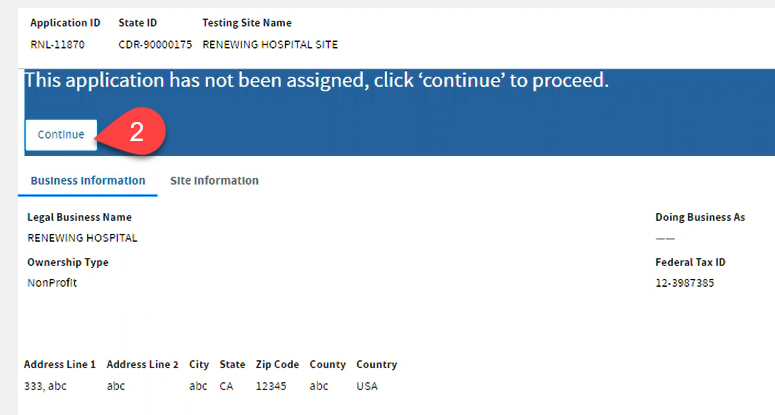
 Review the current
Business and
Site Information. Click
Continue.
Review the current
Business and
Site Information. Click
Continue.
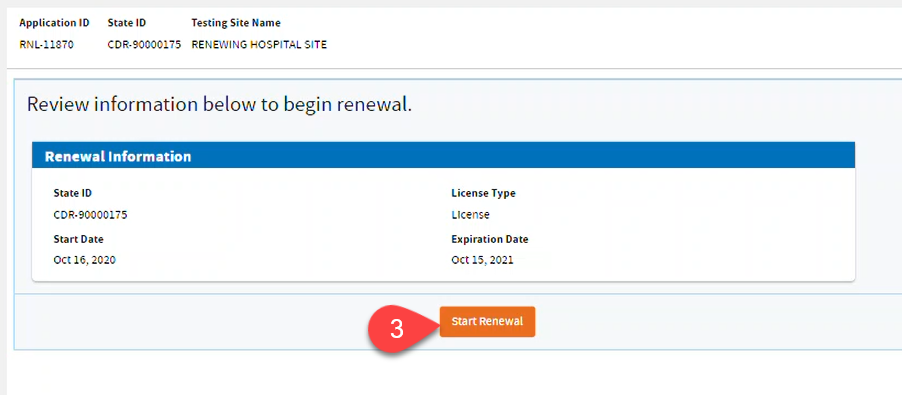
 Click
Start Renewal.
Click
Start Renewal.
Update Business
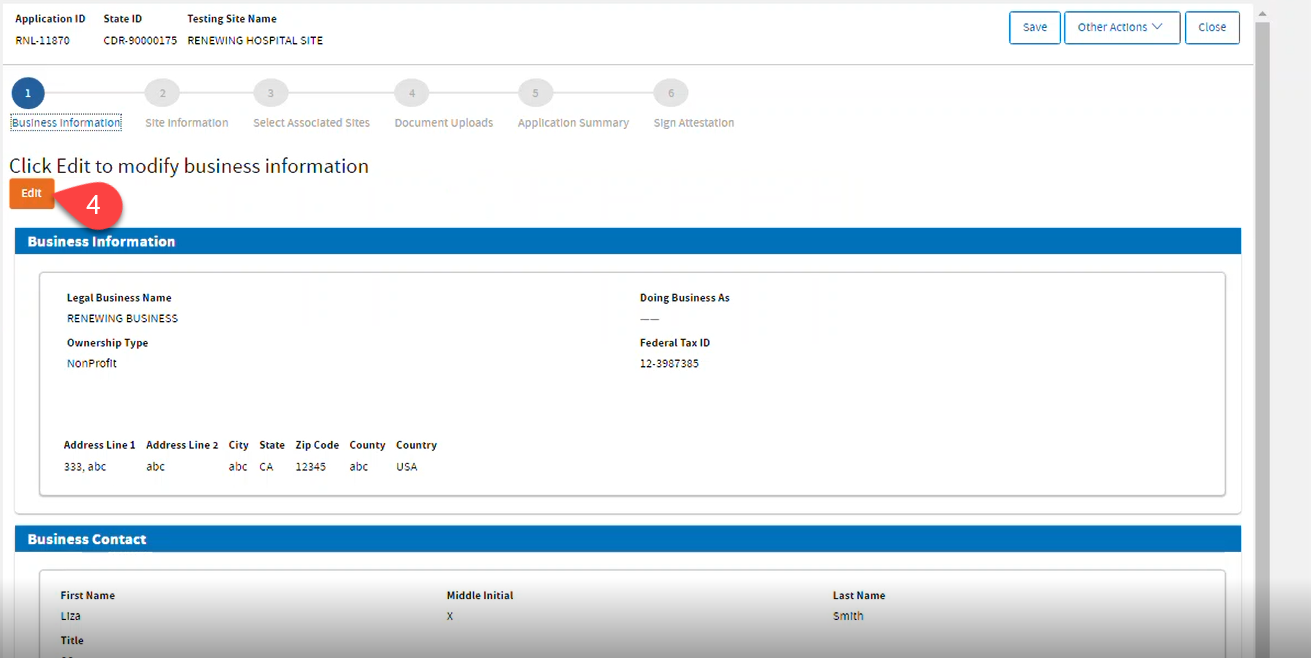
 Click
Edit to update the
Business Information.
Click
Edit to update the
Business Information.
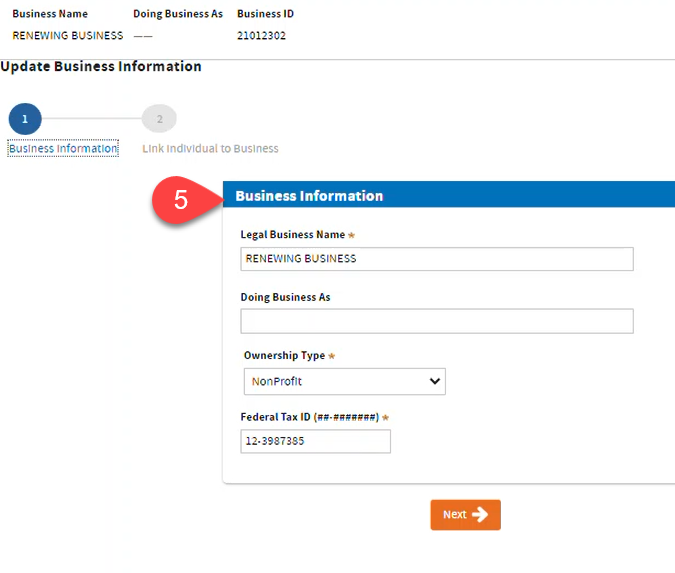
 Review or update
Business Information. Click
Next.
Review or update
Business Information. Click
Next.
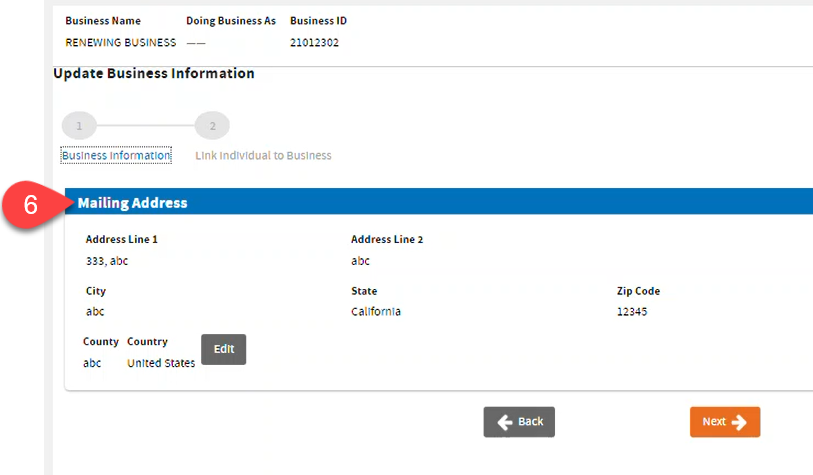
 Review or
Edit
Mailing Address. Click
Next.
Review or
Edit
Mailing Address. Click
Next.
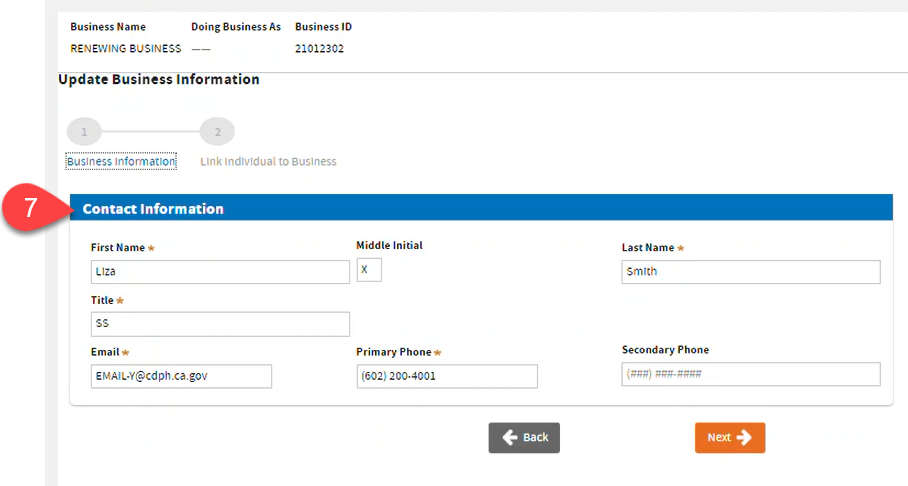
 Review or update
Contact Information. Click
Next.
Review or update
Contact Information. Click
Next.
 Review Ownership Information: Complete the required fields on each record as required by the selected Role. Click
Submit to finish updating the
Business Information.
Review Ownership Information: Complete the required fields on each record as required by the selected Role. Click
Submit to finish updating the
Business Information.
- To edit: click the Edit icon .
- To add: click Add.
- To remove or disassociate, click the Trash Bin icon.

 Click
Continue Application.
Click
Continue Application.

 Review and scroll down. Click the
Next button.
Review and scroll down. Click the
Next button.

Update Testing Site
 Click
Edit to update the
Site Information.
Click
Edit to update the
Site Information.
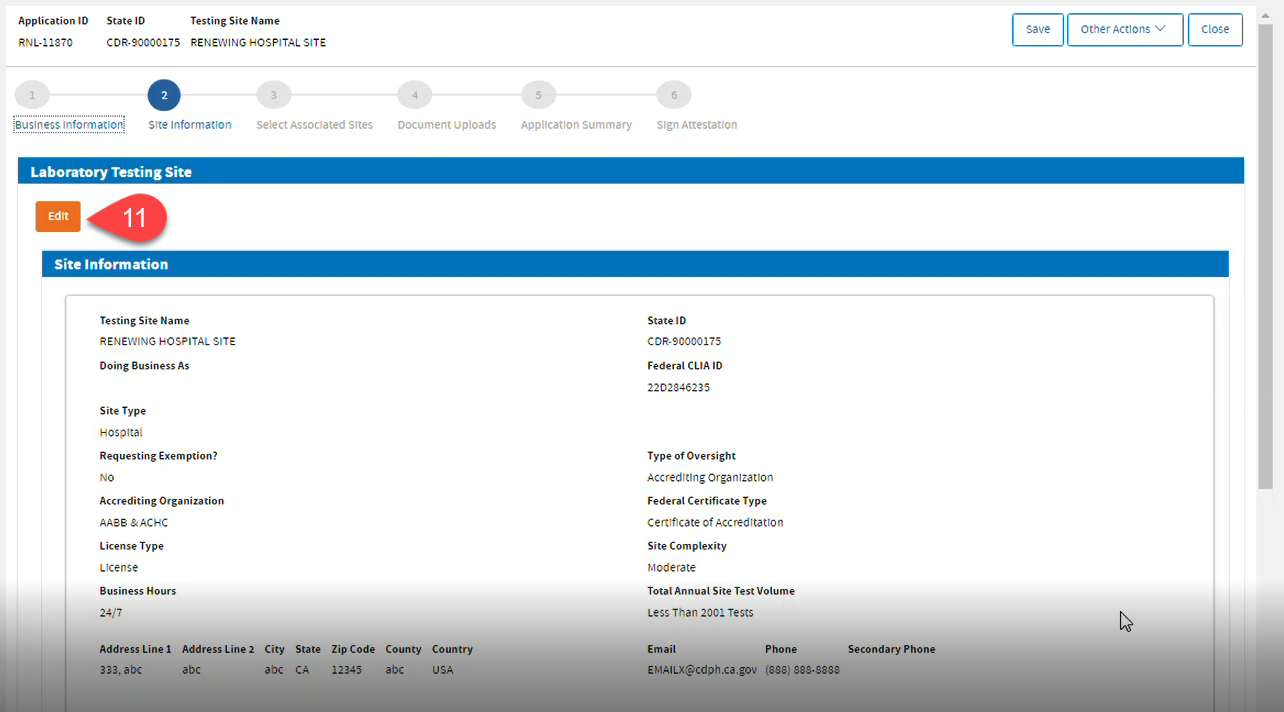
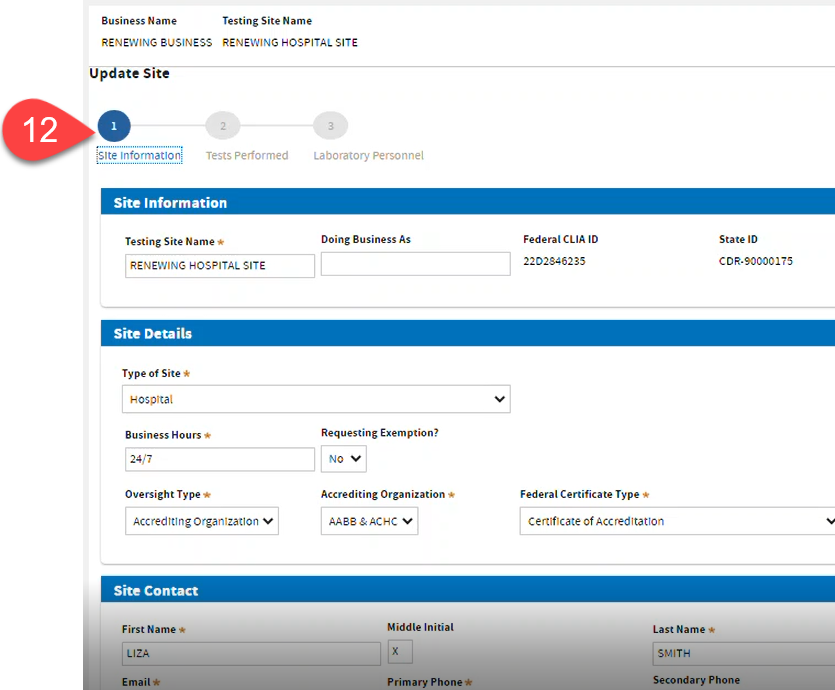
 Review and update the information if necessary and click
Next.
Review and update the information if necessary and click
Next.