




LABORATORY FIELD SERVICES
Upgrading or Downgrading (User Manual)
Outside Renewal Time
Requirements for this application can be found on the New Online Application webpage.
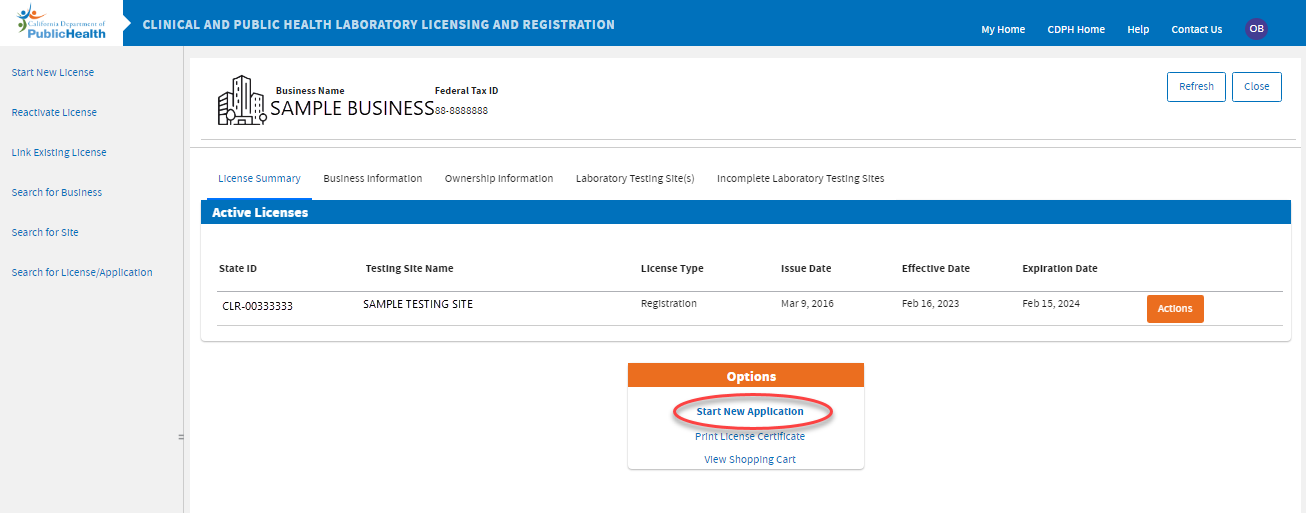
 If you are upgrading or downgrading outside your renewal time, submit a new online application through your business dashboard by clicking
Start New Application.
If you are upgrading or downgrading outside your renewal time, submit a new online application through your business dashboard by clicking
Start New Application.
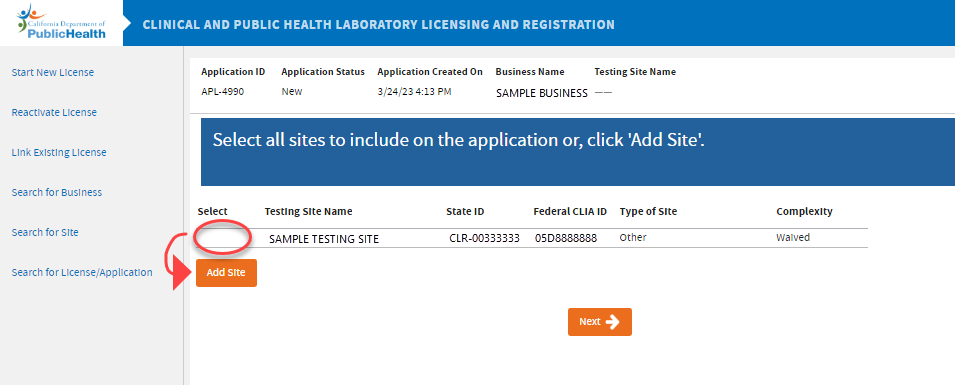
 If your site is
Active, you will not be able to select your site to upgrade. Click the
Add Site button to continue.
If your site is
Active, you will not be able to select your site to upgrade. Click the
Add Site button to continue.
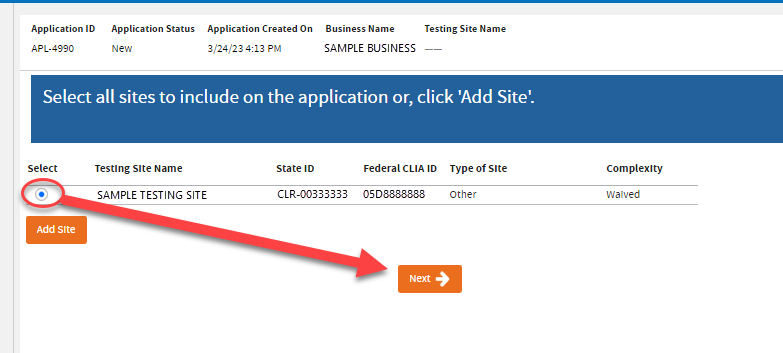
If your site is Inactive or Expired, select the site and click Next.
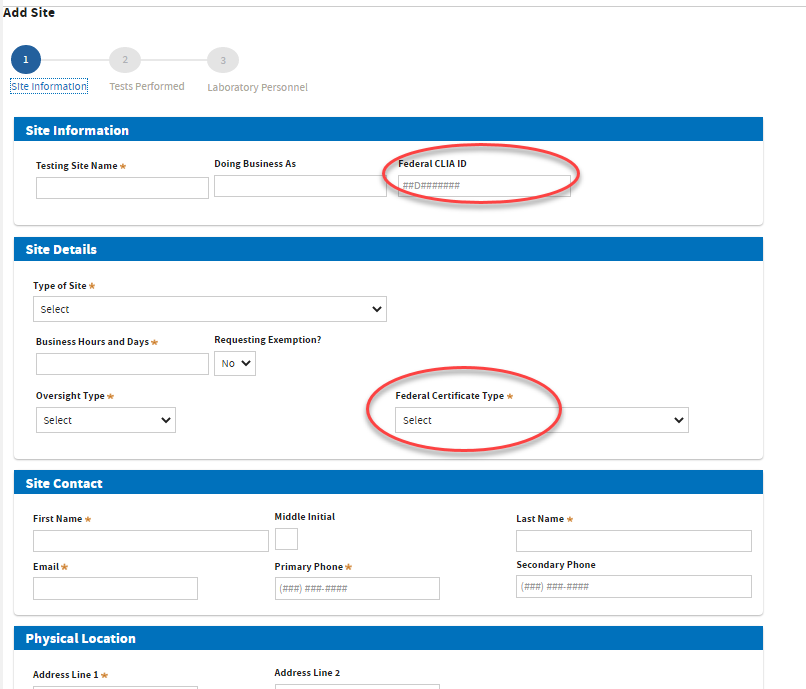
 On the
Site Information page, make sure that the CLIA ID of the site is the same and correct . Then, complete this page and remember to select the new
Federal Certificate Type - this is how you let the system know you are upgrading or downgrading your certificate type.
On the
Site Information page, make sure that the CLIA ID of the site is the same and correct . Then, complete this page and remember to select the new
Federal Certificate Type - this is how you let the system know you are upgrading or downgrading your certificate type.
Pay the appropriate fee and submit your application for review.
-END-