





LABORATORY FIELD SERVICES
How to Reactivate a License (User Manual)
If the license has been expired for more than 60 days, follow these steps to submit an application to reactivate:
Please note: Make sure the license is already linked to your account. If not, link it first before proceeding. Refer to the manual on how to link:
Search and Link.
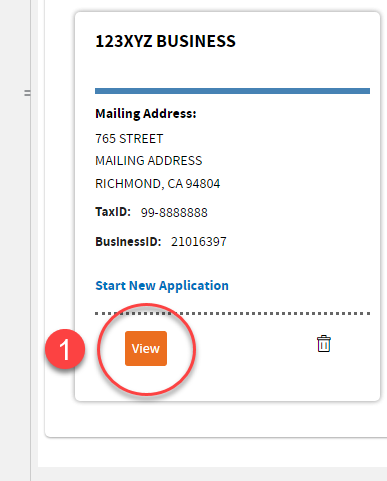
- After logging in, on the welcome screen, look for the business that has the State ID you are reactivating, and click “View.” Then, proceed to step 5.
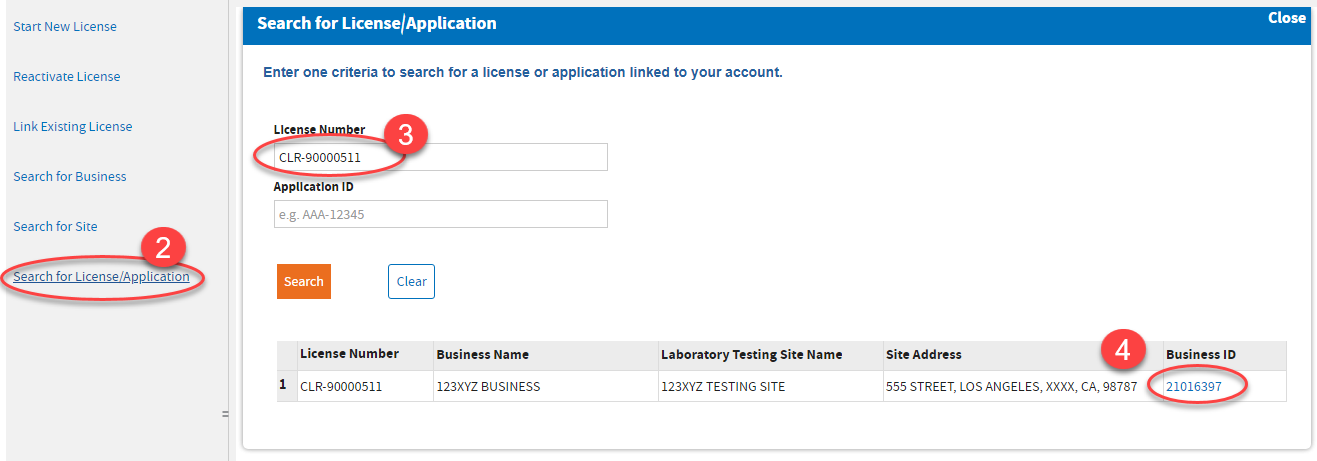
- If you have a long list of businesses, you may search for the State ID by clicking “Search for License/Application.”
- Type the State ID and click “Search.” Note: If there is no result, link the site first and search again.
- On the search result, click the Business ID to go to the business dashboard.
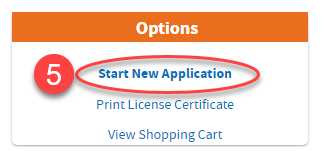
- On the business dashboard, click “Start New Application” in the Options box.
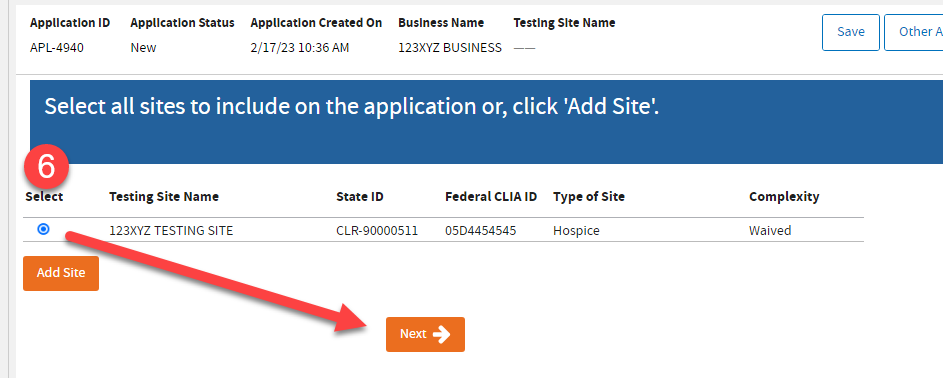
- Select the site you want to reactivate. Then, click “Next” and proceed with the application. Take note of the Application ID (APL-xxxxx).
- The application will require you to:
- Edit the Business Information.
- Edit the Testing Site Information.
- Upload the required documents.
- Proceed to Checkout.
- Pay and submit application for review.
-END-
Page Last Updated :