


LABORATORY FIELD SERVICES
New Single Site License (User Manual)
Summary of Procedure
-
Add Business
- Business Information, Mailing Address
- Contact Information
- Ownership
-
Add Testing Site
- Site Information, Physical Location Address
- Tests Performed
- Laboratory Director
-
License Application Process
- Review Business Information
- Review Testing Site Information
- Upload Documents
- Summary and Attestation
- Payment
- Review Business Information
Requirements
Refer to
New Online Application webpage.
Add Business
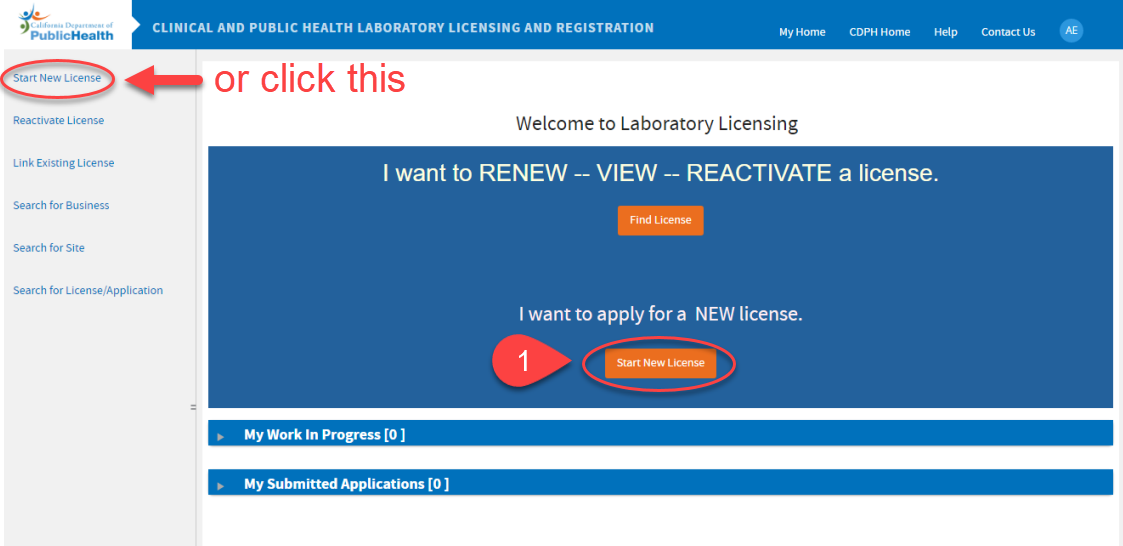
 On your Welcome Screen, click
Start New License.
On your Welcome Screen, click
Start New License.
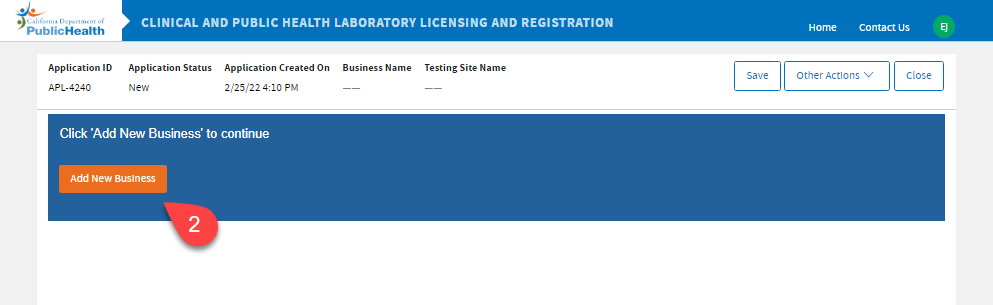
 Click
Add New Business.
Click
Add New Business.
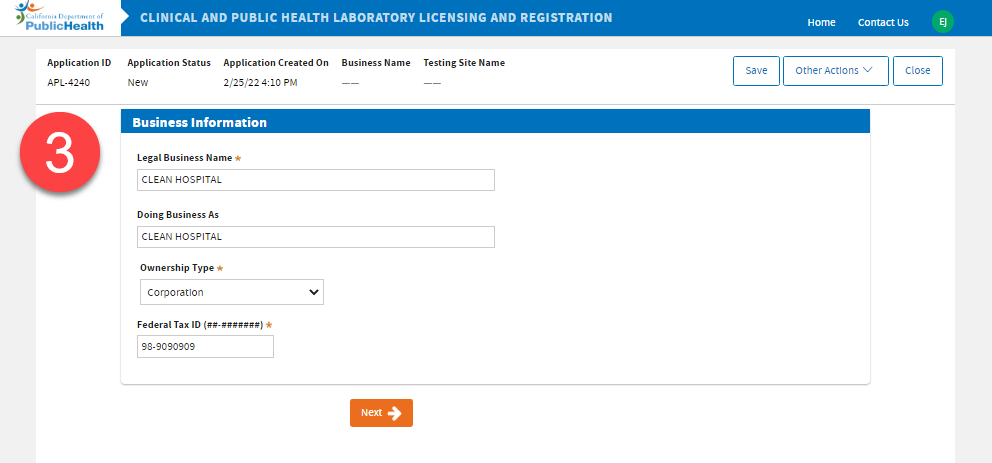
 Enter the business information. Click
Next.
Enter the business information. Click
Next.
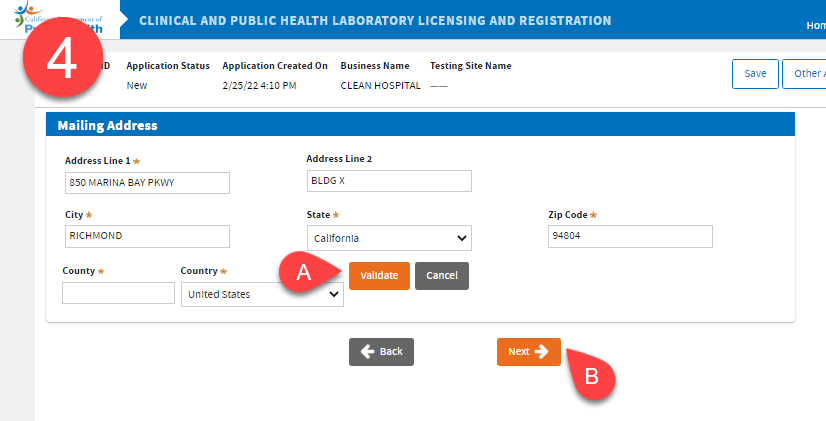
 Enter the mailing address.
|
A. |
Click
Validate, then, |
|
B. |
Click Next. |
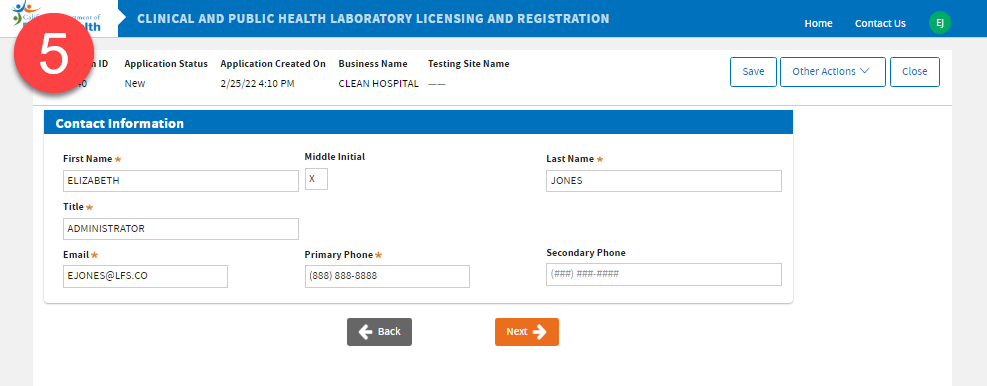
 Enter the business contact information. Click
Next.
Enter the business contact information. Click
Next.
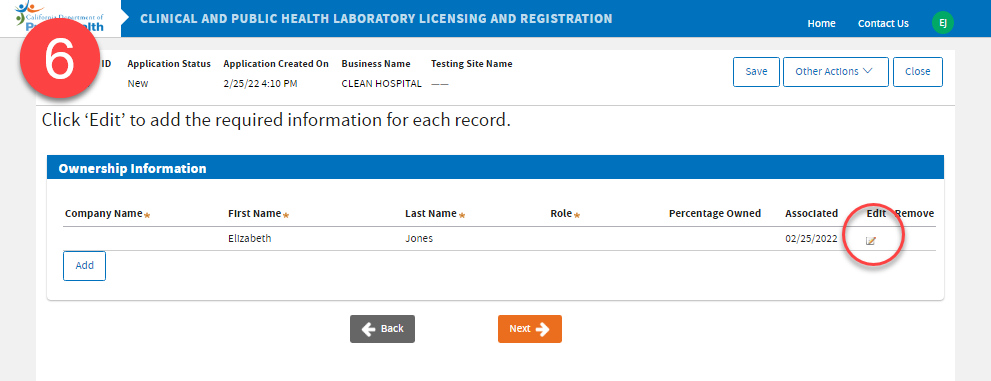
 Click the
Edit icon to add a Role to your record, this is a required field.
Click the
Edit icon to add a Role to your record, this is a required field.
|
A. |
Select your
Role. |
|
B. |
Click Save. |

Please Note:Authorized Representative Role will not be displayed on the certificate as Owner.
Owner Roles that will be displayed on the certificate:
- Board of Directors
- Chief Executive Officer
- Owner
- Shareholder
- Vice President
- Other (or Other Owner)
 Click the Add button to add an Owner. There should be at least 1 owner to proceed.
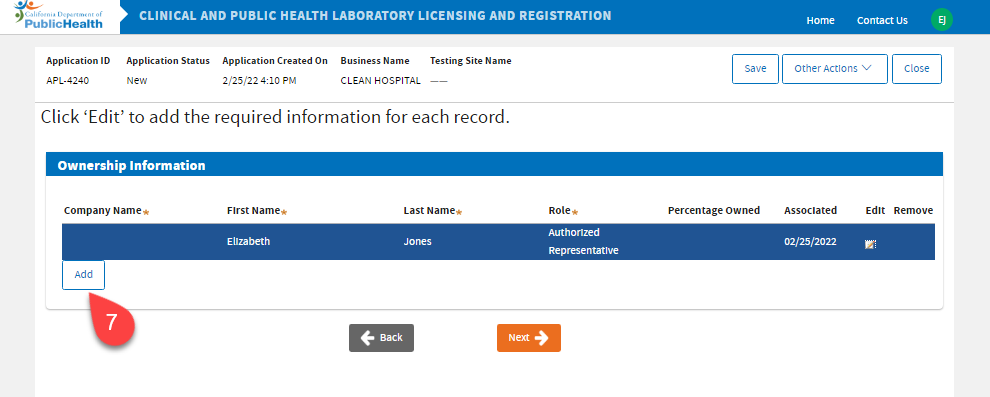
|
A. |
Enter the owner information and click Save. |
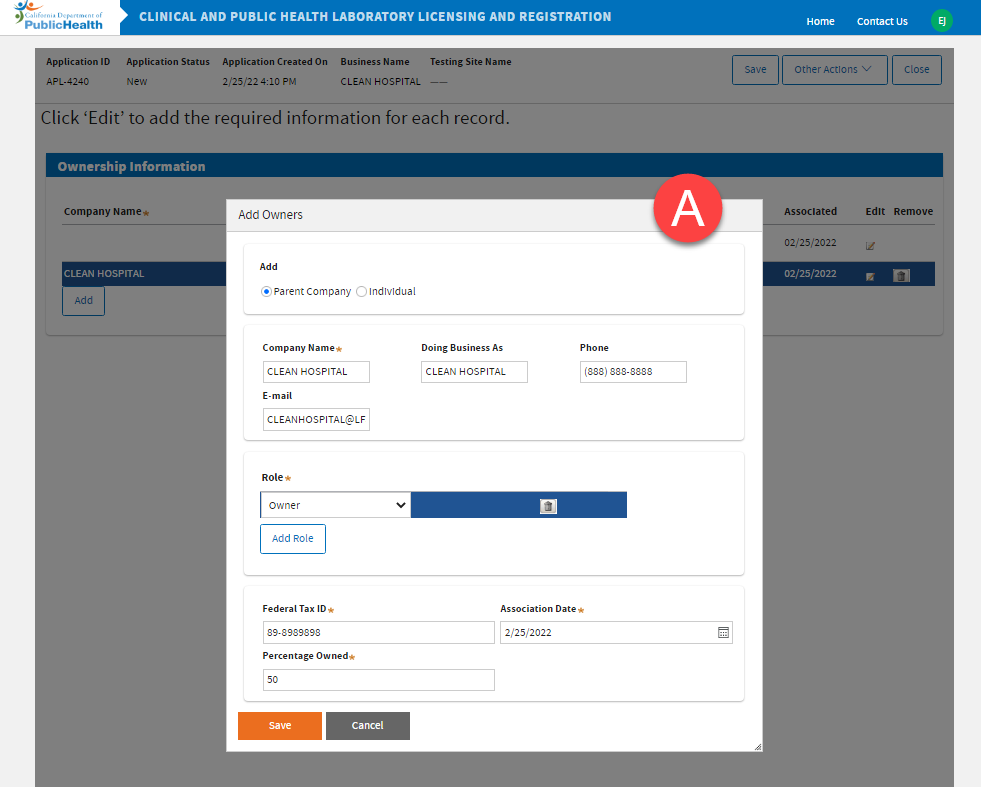
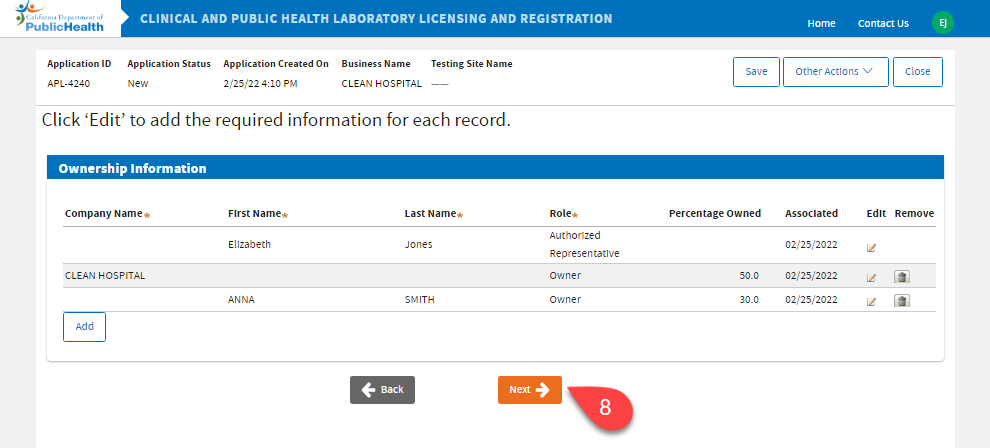
 After adding the ownership information, click
Next.
After adding the ownership information, click
Next.
Add Testing Site
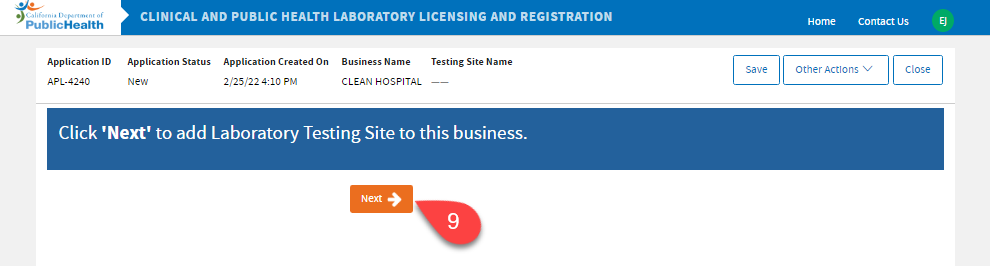
 Click
Next to add
Laboratory Testing Site to this business.
Click
Next to add
Laboratory Testing Site to this business.
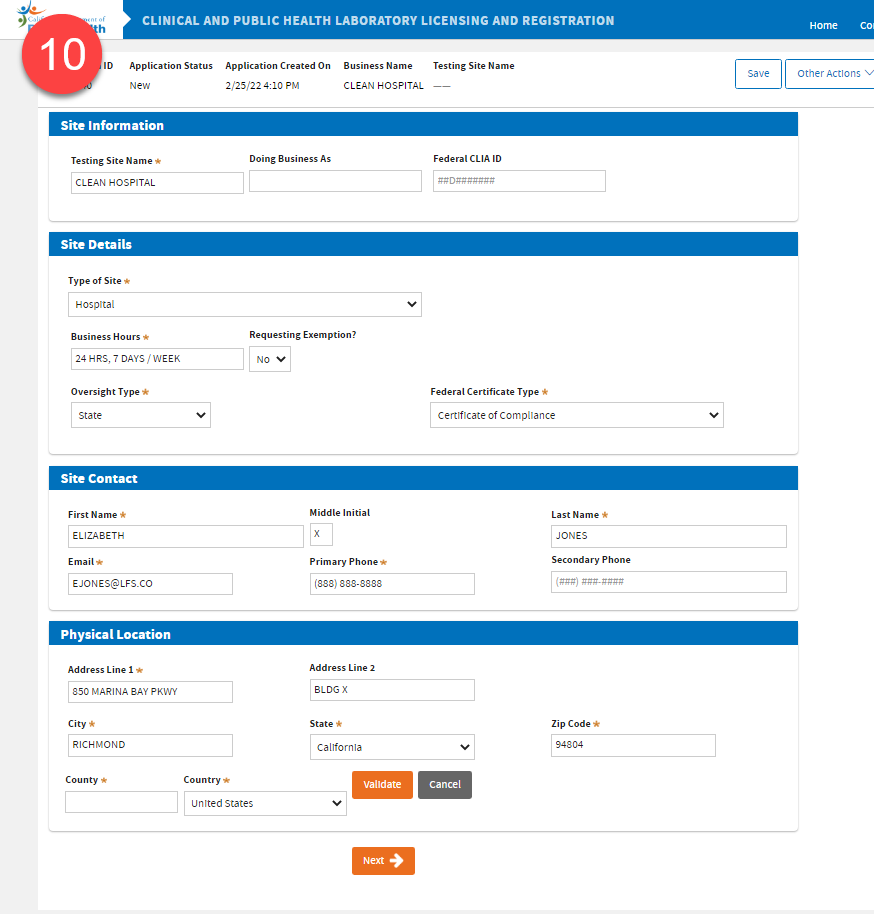
 Enter the Testing Site information. Click
Validate first, before clicking
Next.
Enter the Testing Site information. Click
Validate first, before clicking
Next.
 Select the
Highest Testing Complexity* for this testing site.
Select the
Highest Testing Complexity* for this testing site.
*If the testing site is
Non-waived, either add tests using the dropdown menu
-OR- upload a completed
LAB 144A.pdf form.
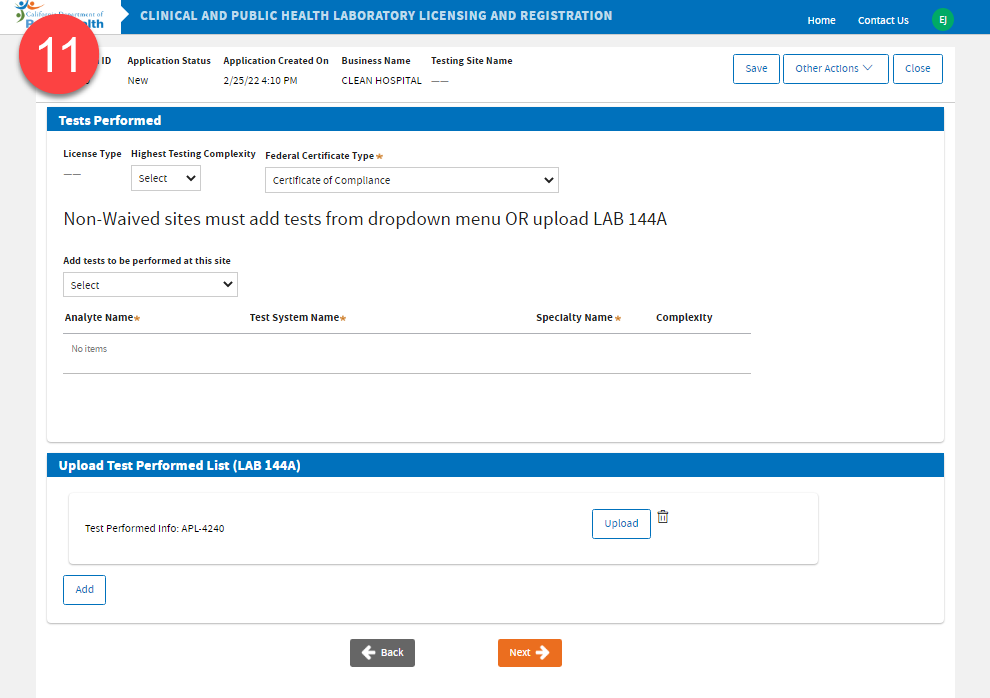
 For
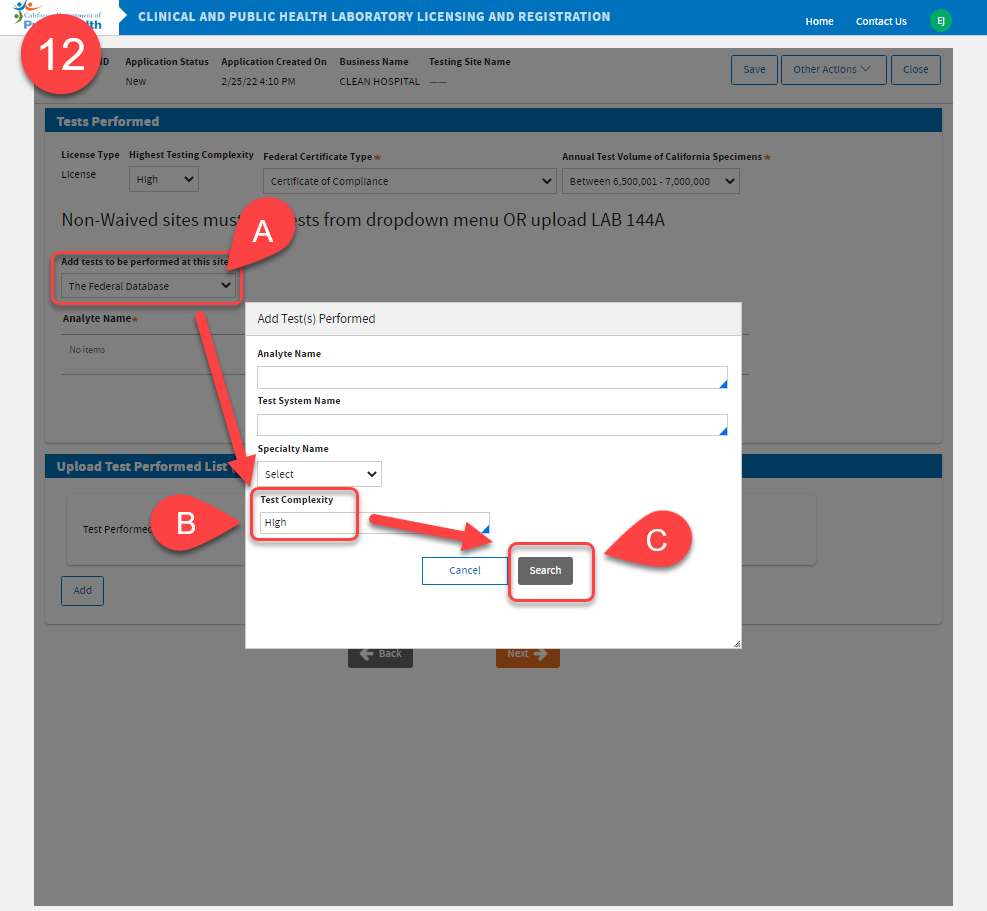
Non-waived sites adding the tests performed by selecting the Analyte Name:
For
Non-waived sites adding the tests performed by selecting the Analyte Name:
|
A. |
If you choose The Federal Database in the dropdown, |
| B. | type the
Test Complexity (high, moderate, PPMP, waived) in the text field, and |
| C. | click
Search. |
 For
Waived sites, adding the analytes and/or uploading LAB 144A are
not required. Click
Next.
For
Waived sites, adding the analytes and/or uploading LAB 144A are
not required. Click
Next.

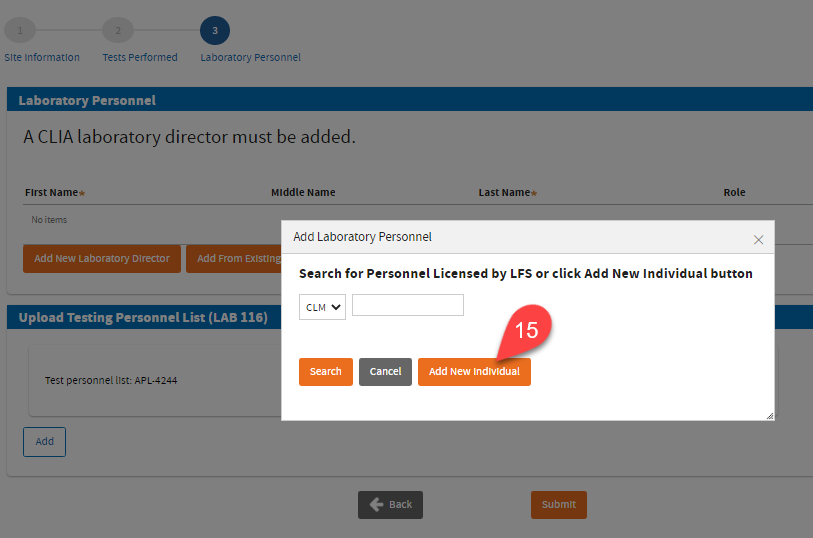
 Click
Add New Laboratory Director button to add a Laboratory Director.
Click
Add New Laboratory Director button to add a Laboratory Director.
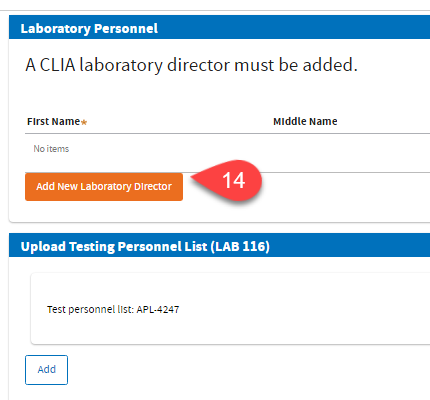
 Click
Add New Individual. If the personnel is licensed by LFS, you may also use the search bar to find the individual.
Click
Add New Individual. If the personnel is licensed by LFS, you may also use the search bar to find the individual.