


LABORATORY FIELD SERVICES
Renew Single Site License (User Manual)
 Review and update the information if necessary. Click Next.
Please note:
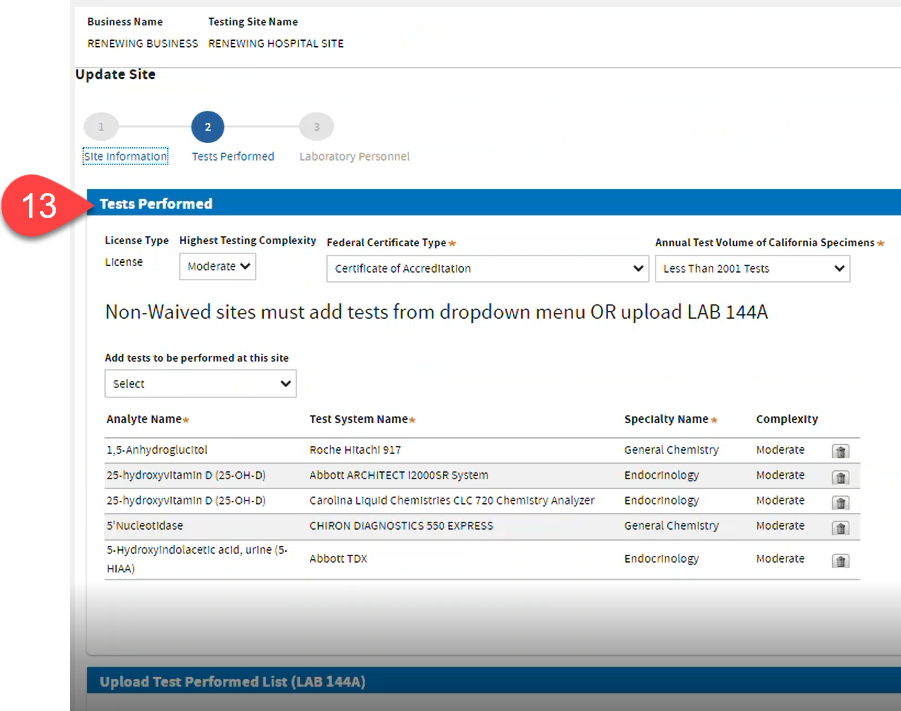
- If Waived or PPMP, uploading LAB 144A and adding tests are not required.
- If Moderate or High Complexity, either:
- select tests using the dropdown options (skip adding Waived tests),
-OR- upload a LAB 144A.pdf form.
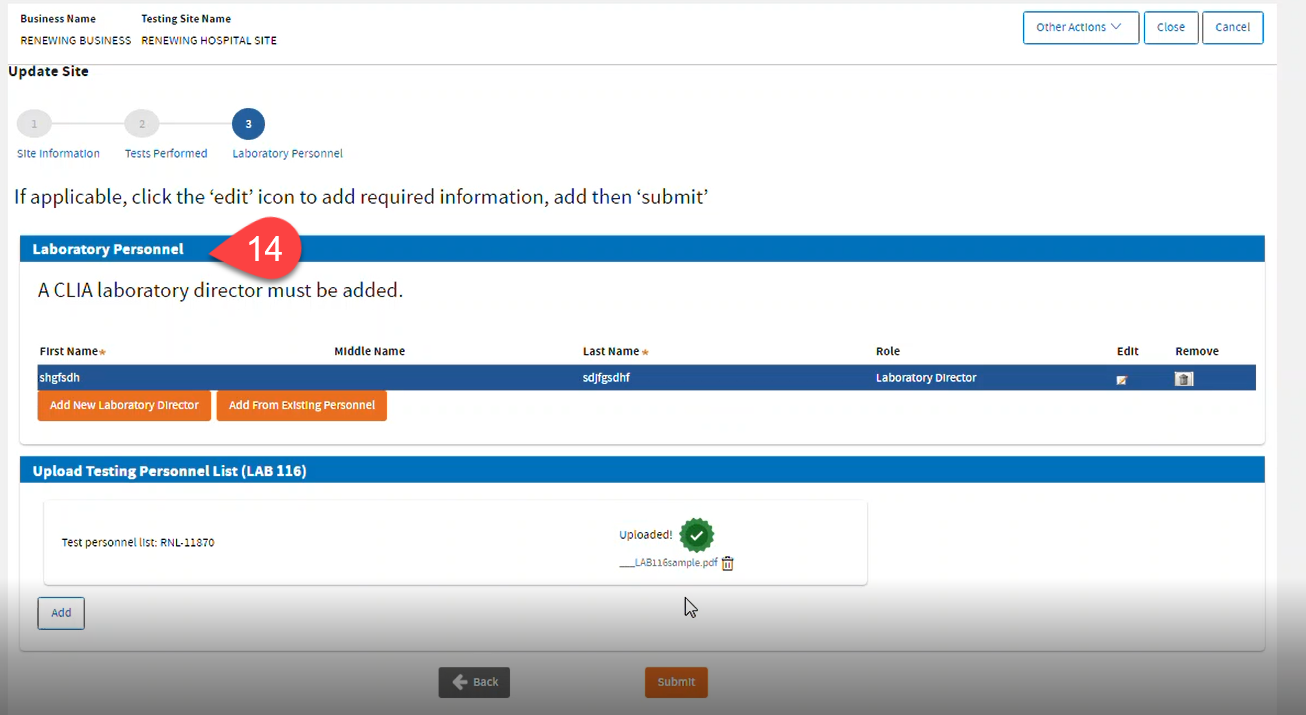
 Laboratory Personnel section: A CLIA laboratory director must be added to move forward. A Role must be assigned to each record. Click
Submit.
Laboratory Personnel section: A CLIA laboratory director must be added to move forward. A Role must be assigned to each record. Click
Submit.
- To edit: click the Edit icon.
- To add: click Add New Laboratory Director or Add From Existing Personnel.
- To remove or disassociate: click the Trash Bin icon.
- If Waived, uploading LAB 116 is not required.
- If PPMP or Moderate or High Complexity, upload a completed LAB 116.pdf form.
 Click
Continue Application.
Click
Continue Application.

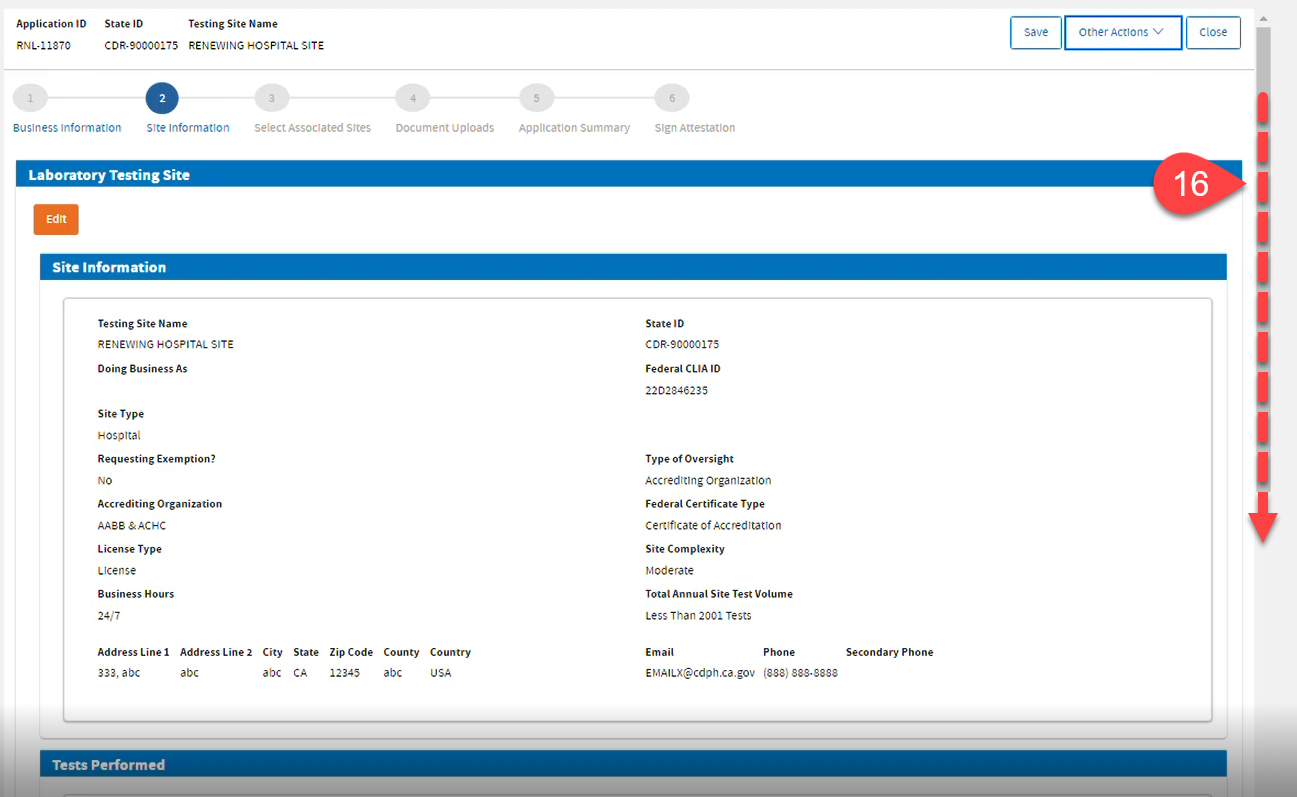
 Review and scroll down. Click the
Next button.
Review and scroll down. Click the
Next button.
Associate Sites
 Read the instructions. Select
No, and click
Next.
Read the instructions. Select
No, and click
Next.
Upload Documents
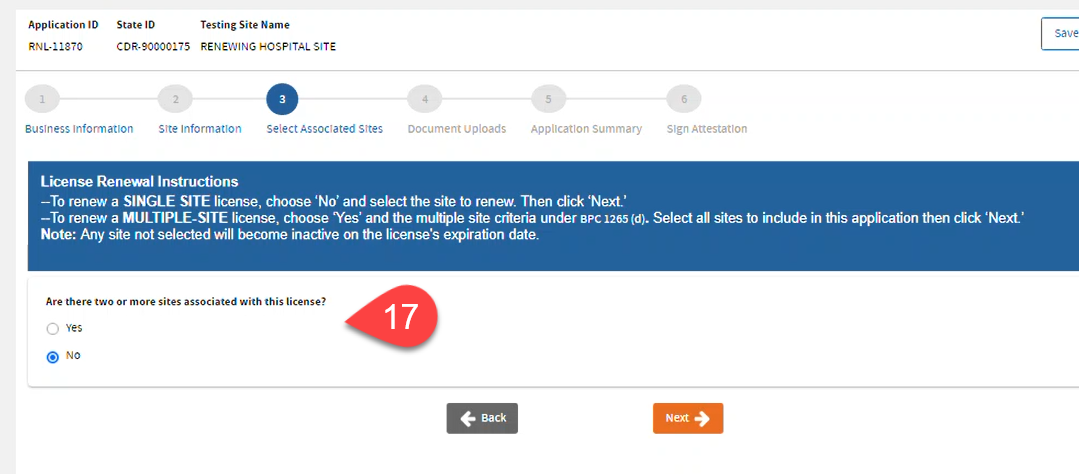
 Read the instructions and upload the required forms. Upload
CMS 116.pdf form if there are changes in your site. Click
Next.
Read the instructions and upload the required forms. Upload
CMS 116.pdf form if there are changes in your site. Click
Next.
Application Summary
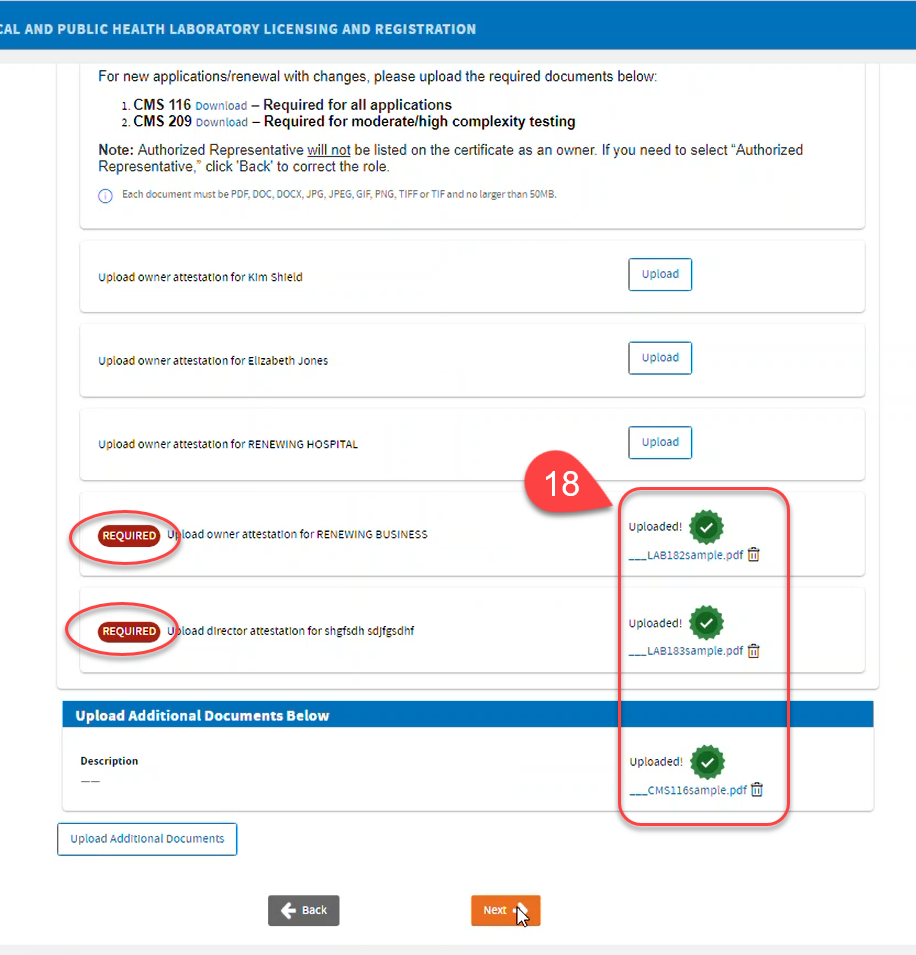
 Review the Application Summary. You may click the
Back button if you need to correct the information, otherwise, click
Next.
Review the Application Summary. You may click the
Back button if you need to correct the information, otherwise, click
Next.
Application Attestation
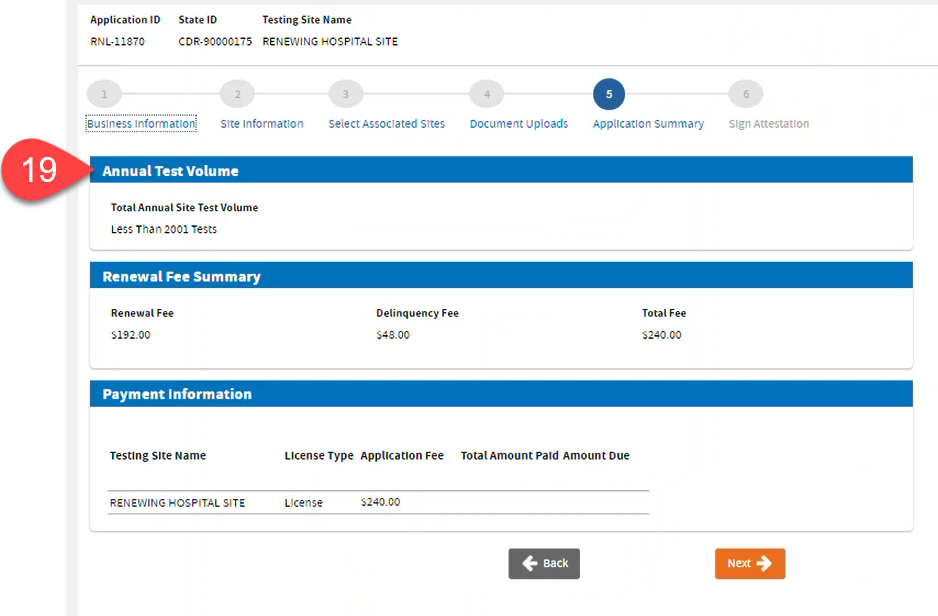
 Read the
Application Attestation.
Sign, click
Accept, then click
Submit.
Read the
Application Attestation.
Sign, click
Accept, then click
Submit.
Payment
 Click
Shopping Cart to proceed.
Click
Shopping Cart to proceed.

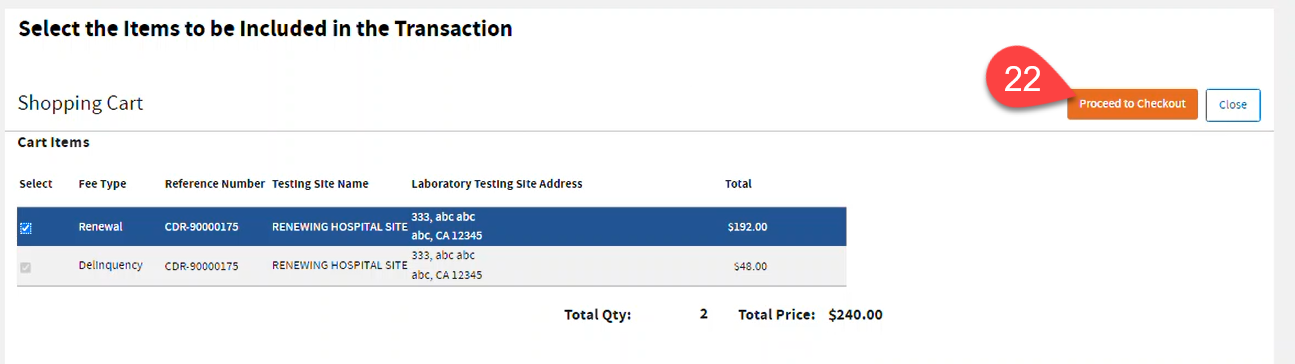
 Select the items you want to pay, then click Proceed to Checkout.
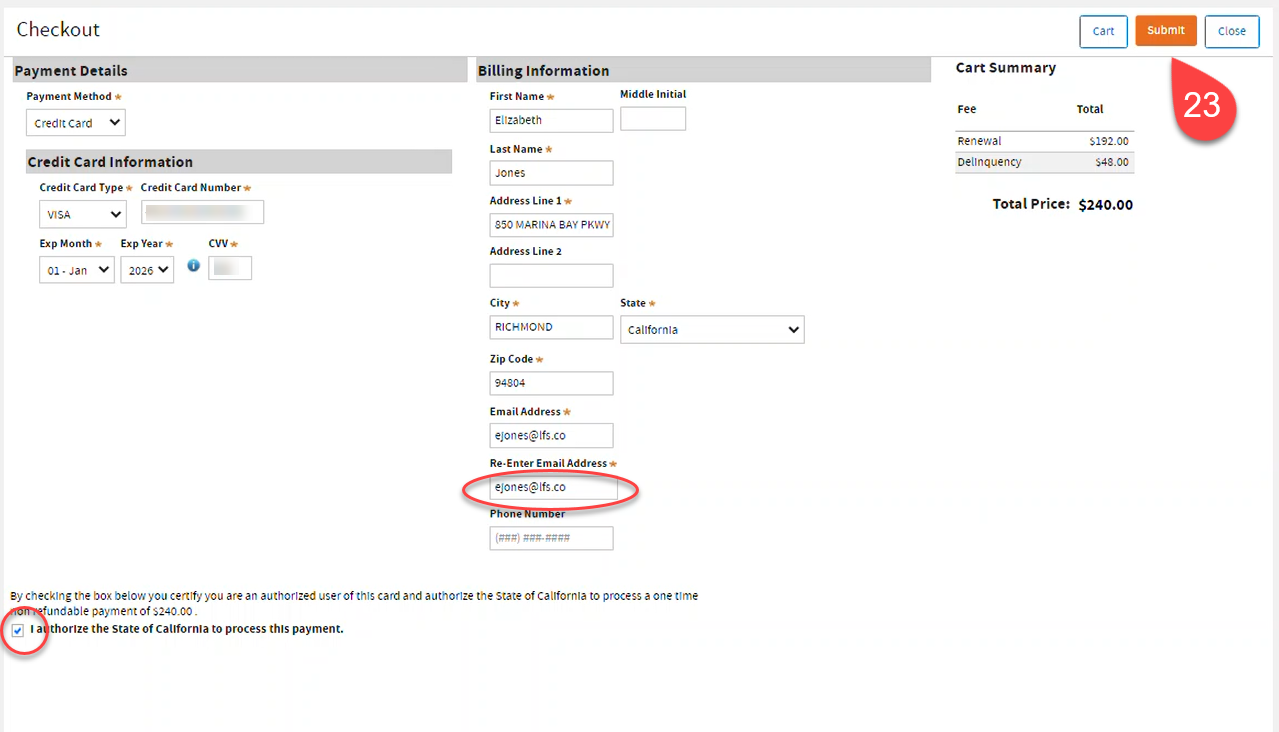
 Enter Payment Details. Check the
payment authorization clause. Click
Submit.
Enter Payment Details. Check the
payment authorization clause. Click
Submit.
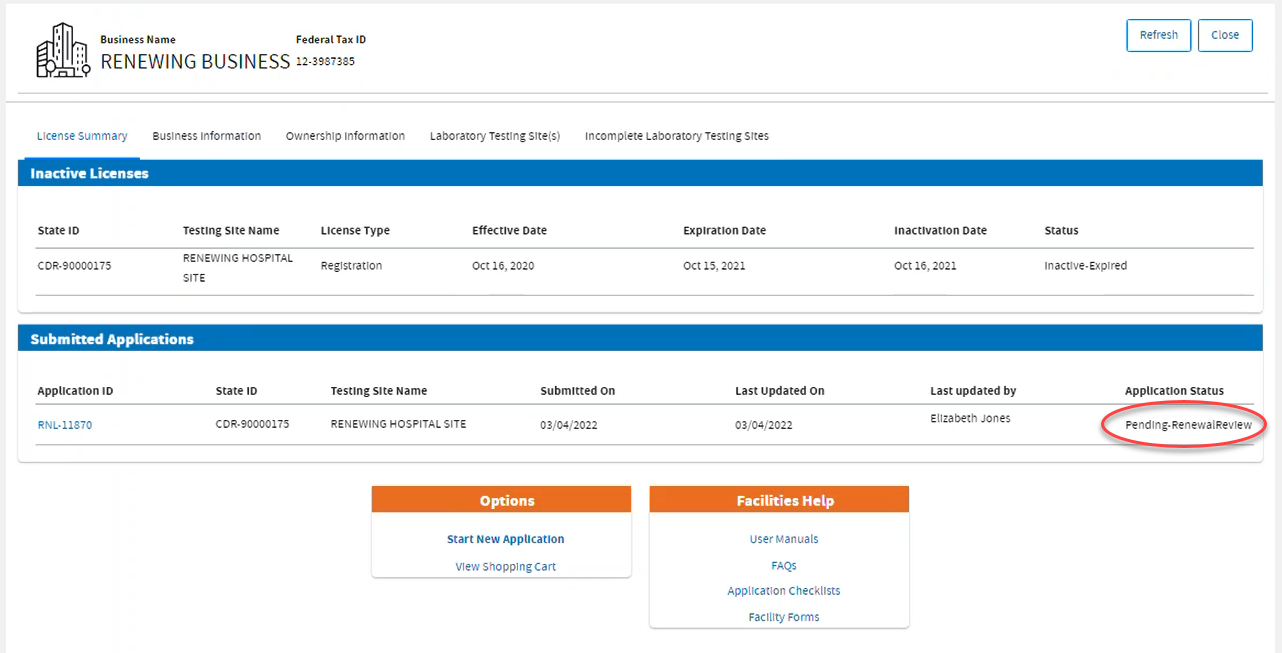
 Your application will be in
Pending-RenewalReview status if you made major changes. If there are no changes, the system will approve your renewal application.
Your application will be in
Pending-RenewalReview status if you made major changes. If there are no changes, the system will approve your renewal application.